
A while ago, I wrote about running Python code from a Laravel application on Laravel Cloud. If you haven't read that post, it explains why our financial calculation engine was written in Python and how we first ran it through Laravel's Process facade. That solution worked, and it was the right way for us to get started. But things change fast when customers start using an app more heavily. Ours was no exception.
Why did a process per request stop scaling?
Because the calculation runs while people are typing, and several of those runs overlap.
The form recalculates whenever someone changes a relevant input. We debounce changes by about 300 milliseconds, but if a user enters 100 and then changes it to 101, that can still mean two calculations. Requests can arrive a second apart or even faster while people are editing. With several users working at once, those requests overlap. We saw CPU and memory spikes around 10-15 parallel requests, and ten actively editing users could generate roughly 20 requests in a short burst.
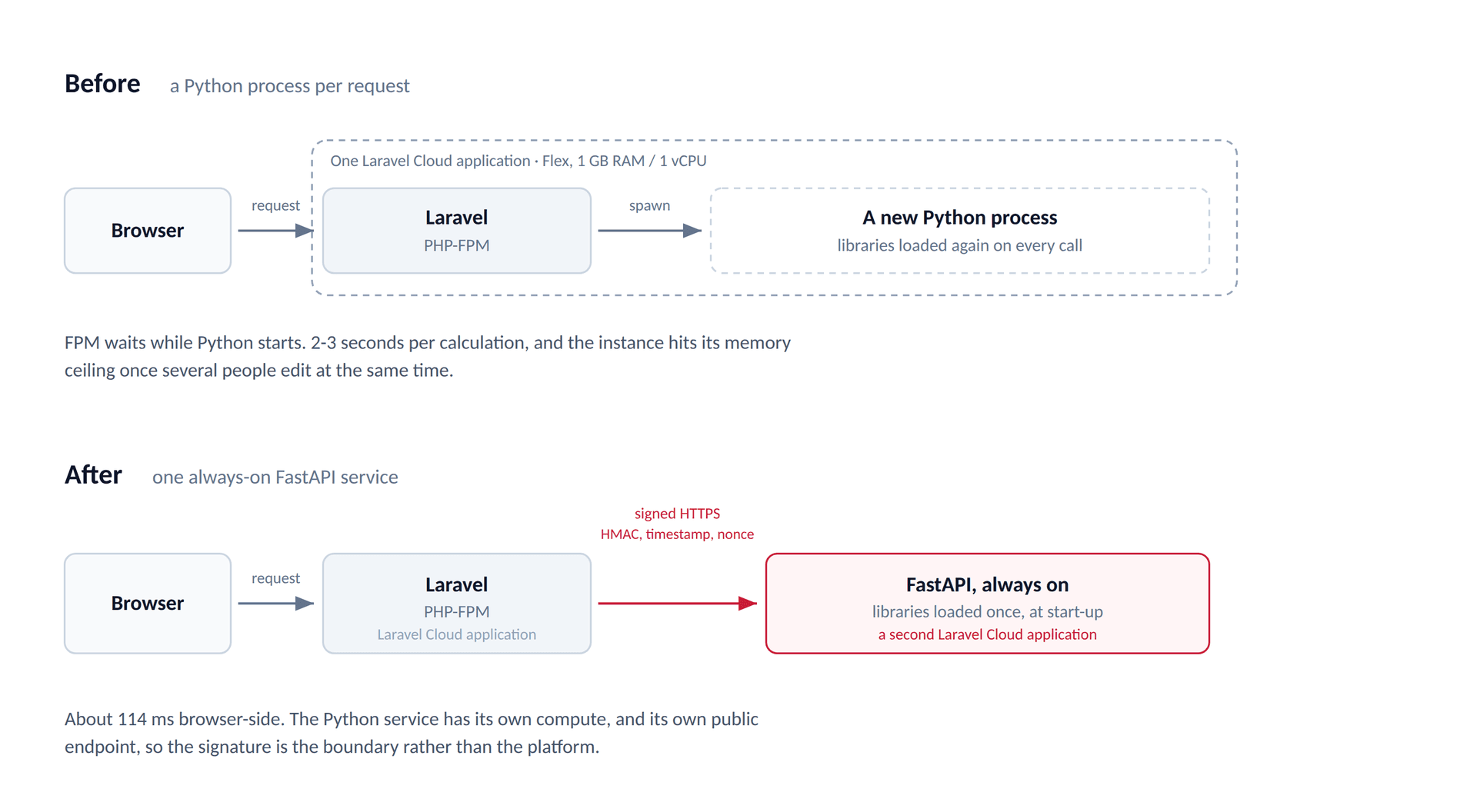
Our Laravel app was on a Flex instance with 1 GB of RAM and 1 vCPU, and we kept that size after moving to FastAPI. We were hitting the 1 GB RAM limit when requests ran concurrently. Each invocation spawned a new Python process, reloaded its large libraries into memory, and returned the result while a PHP-FPM process waited. Running PHP alongside multiple fresh Python processes for each interactive calculation created significant memory pressure and was not a sustainable production architecture as usage grew.
Why didn't a queue and Reverb fix it?
Because the results were four to five times larger than a managed Reverb message can be.
You might already have a solution in mind: move the work into a queue, or make it asynchronous somehow. We tried that. I've written separately about how we run Laravel job queues in production. Our request queued the Python calculation, the FPM process finished, and when Python had the result, we broadcast it back to the browser over a private Laravel Reverb channel.
It sounded reasonable, but our results were usually 40-50 KB. Laravel Cloud's managed Reverb limit is 10 KB per message, and we couldn't raise it for the managed service. Self-hosted Reverb does have a max_message_size setting, but that configuration does not exist here. Laravel threw exceptions when it tried to broadcast our oversized results. This wasn't an occasional dropped message: our normal results were consistently too large. Reverb is great at what it does, but sending the full result through it was the wrong choice for this problem.
Why a FastAPI server instead of a new process per call?
Because a running server keeps the Python dependencies loaded, and the only thing you have to get right is state.
So we returned to our original FastAPI idea. We had considered it before writing the script, but at the time Laravel Cloud didn't support deploying it as a separate application in the way we wanted. A running FastAPI server keeps the Python dependencies loaded instead of starting Python for each calculation. The catch was state: the old script kept some values in globals because each execution got a new process. A server keeps running between requests, so calculation data has to belong to the individual call rather than leak into the next one. Laravel developers who have worked with Octane will recognize the same kind of persistent-process concern.
The change looked roughly like this; this is a simplified illustration of the refactor, not a copy of our financial engine:
# Before: safe only because the script started fresh each time.
current_balance = payload["starting_balance"]
result = calculate(current_balance)

# After: each call gets its own values.
def compute(payload):
    current_balance = payload["starting_balance"]
    return calculate(current_balance)
We moved request-specific state into functions, ran our tests, and compared the results against the earlier script's expected output. They matched in the checks we performed. I don't have a recorded scenario count, though, and this wasn't a formal exact-equality or tolerance-based parity study. For a financial engine, that's a distinction worth making rather than inventing a test number after the fact.
How did we first run FastAPI next to Laravel?
Our first FastAPI setup was a background process on the Laravel app cluster:
bash -lc 'export PATH="$HOME/.local/bin:$PATH"; exec uv run --python .venv/bin/python fastapi run storage/python/server.py --host 0.0.0.0 --port 4444'Laravel could call it on localhost:4444. On the Laravel side, the HTTP request has a five-second timeout. The basic shape in our checked-in client is:
$response = Http::timeout(5)
    ->withBody($payload->toJson(), 'application/json')
    ->post(config('services.python.server_url'));
That URL is configurable; the local default is http://127.0.0.1:4444. If the server can't be reached, the client throws an exception. If it replies with an error status, we log it and throw instead of treating it as a valid calculation result; Sentry reporting is used when configured. This shortened example is the local request shape; the production service also signs and verifies requests, which I'll come back to below.
Why wasn't a background process good enough?
The background process proved the approach worked, but it had its own architectural problem: it still shared compute with our Laravel web server. A Python process using that cluster's memory and CPU could interfere with the server we were trying to protect.
Moving the process to a queue worker wasn't as simple as calling its IP or socket from Laravel: in Laravel Cloud, the containers didn't expose a route between them that we could use this way. We could have used Redis Pub/Sub, with Laravel publishing a calculation and Python returning a result through Redis. We preferred HTTP because it doesn't require both applications to share one Redis instance. The Python service can then live on Laravel Cloud, on a different network, or even with another provider without changing that basic boundary.
What changed when Laravel Cloud added Python support?
Then, at one of our meetings, Gaga, our CEO, mentioned the news from official Laravel Cloud channels: Laravel Cloud could now run FastAPI applications. We had just got FastAPI running as a background process, so the timing was funny, interesting, and a little sad. The signal from the universe was clear enough: give the separate application a try.
How do you deploy FastAPI from a Laravel repository?
As a new Laravel Cloud application in the same repository, with the Python directory as its root.
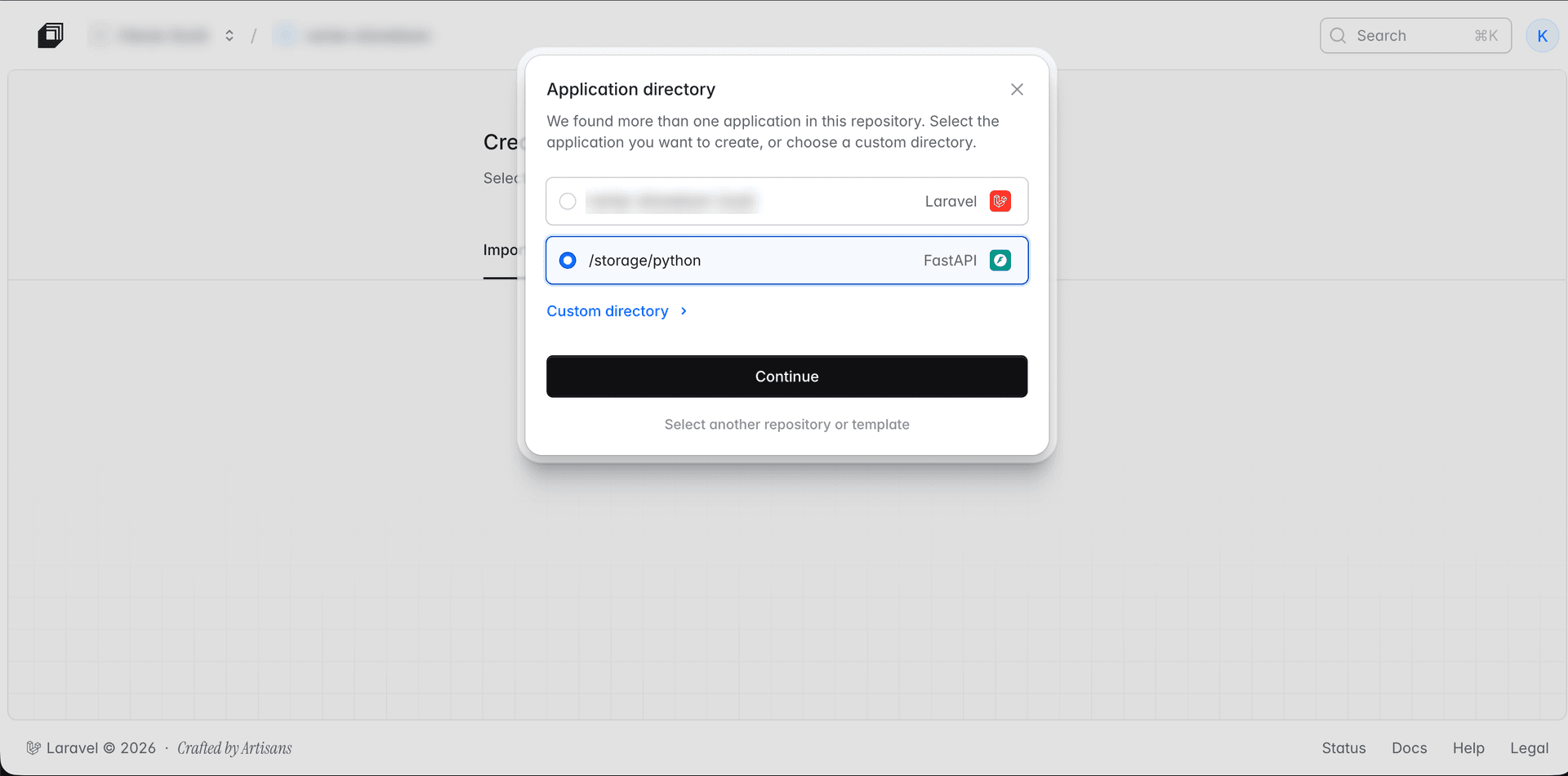
The Laravel Cloud team made the setup simple. We created a new Python application, connected it to the same repository as Laravel, and selected the Python directory. You can't turn one Laravel application deployment into two independently running web apps just by adding a command; Cloud treats the selected directories as separate applications, each with its own deployment and compute.
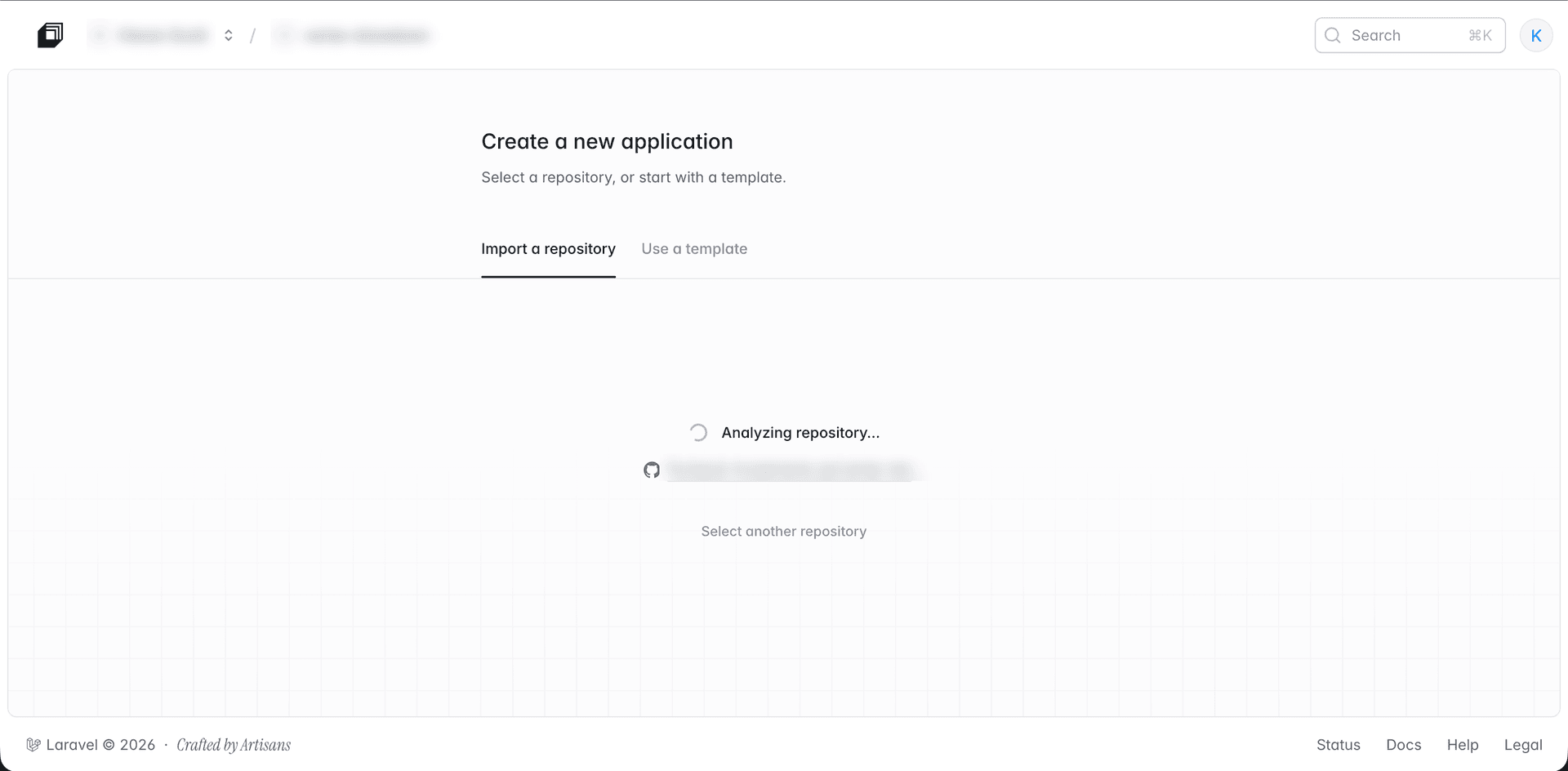
Cloud detected our Laravel app and suggested the Python directory. If detection doesn't find the right place, you can select a directory yourself. In our repo, the server lives in storage/python/server.py, but once we select storage/python as the new app's root, we run server.py relative to that directory. That detail is easy to miss when moving from the background-process command.
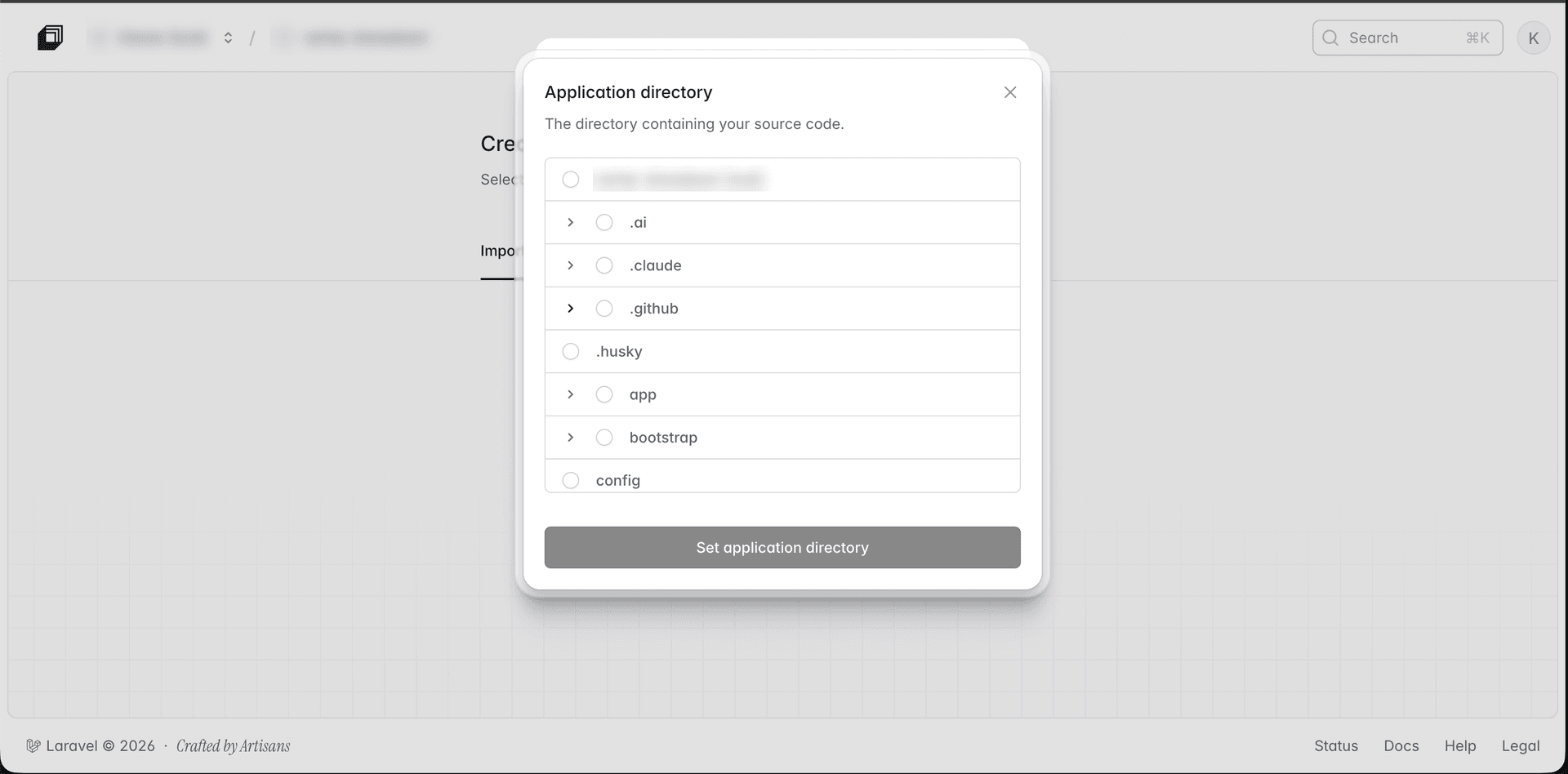
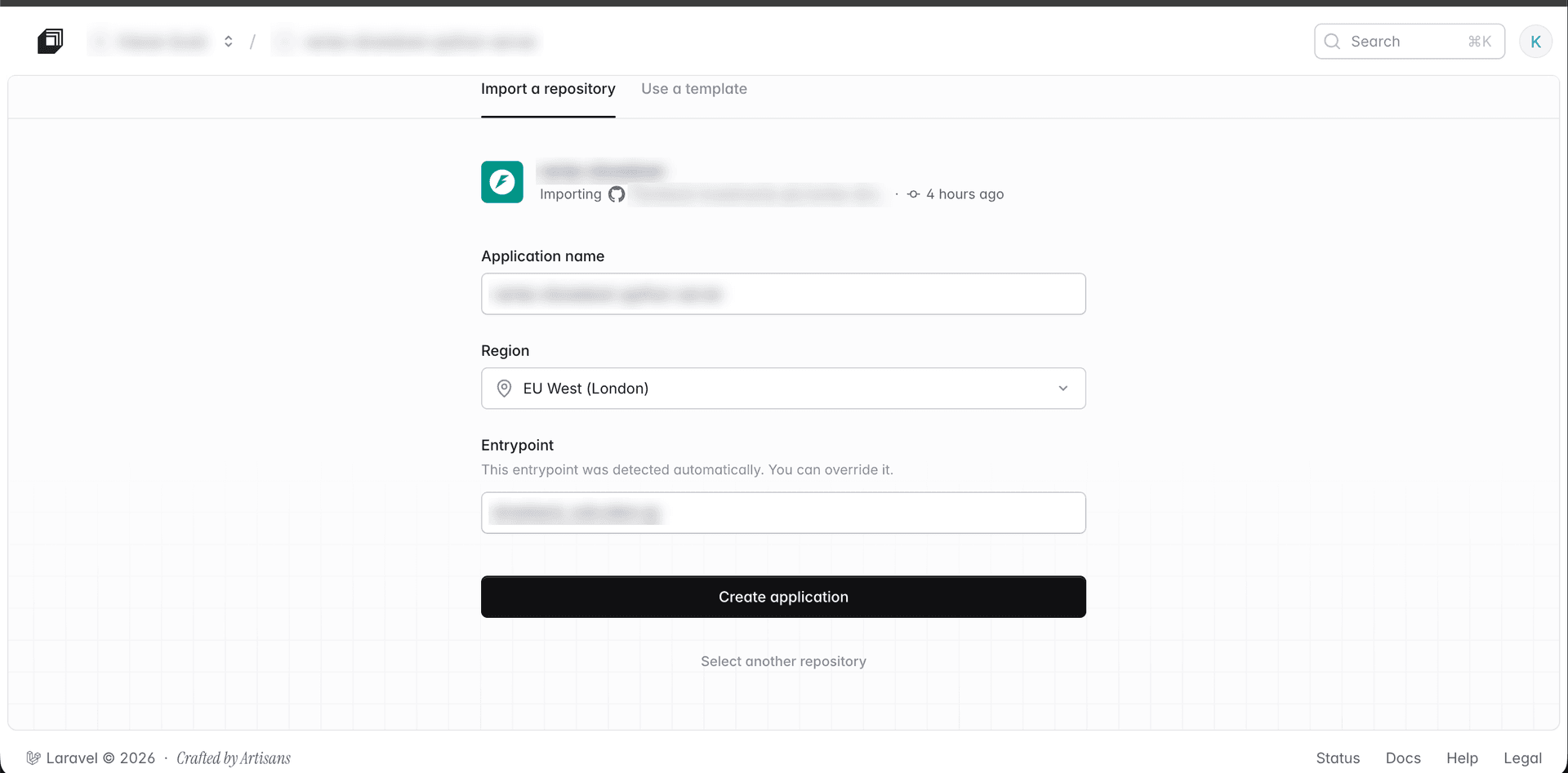
We created the application and deployed it separately. During our setup, I was able to change the Python version from a dropdown in the dashboard. I'm mentioning what I saw at the time, not promising that the same control exists today: the current runtime documentation says to select Python using.python-version, or requires-python in pyproject.toml if there is no .python-version file, and says there is no dashboard selector. It currently lists Python 3.10 through 3.14. We still use uv to run the version our financial engine has been tested against. With this kind of calculation, even a minor version change deserves testing.
Why did the app start but nothing could reach it?
The app started, but at first nothing could reach it. The message we saw said:
nothing can reach a listener bound to an IPv4 addressOur fastapi run command was binding Uvicorn to 0.0.0.0, an IPv4 address. In this deployment, changing the start command solved the problem:
uv run --python .venv/bin/python fastapi run server.py --host "" --port "$PORT"With our single Uvicorn process, the empty host made it listen on IPv6 ([::]) as well.
$PORT is the port provided by Laravel Cloud. I'm basing the explanation on the error and what worked in our deployment, not claiming that Laravel Cloud's entire network is IPv6-only; the public docs don't say that. We haven't tested --host "" with multiple Uvicorn workers. We don't need them for this setup: we run one process per container and can scale containers independently.How does Laravel reach the FastAPI app, and who else can?
The endpoint is public, so the boundary is an HMAC signature rather than the platform.
After that, the separate FastAPI application replaced the background process in production. Laravel calls its publicly reachable HTTPS endpoint, configured as the Python server URL, rather than localhost. Because the endpoint is public, being another Laravel Cloud app is not our security boundary. In our production deployment, Laravel generates an HMAC signature using a shared secret, the request contents, a timestamp, and a nonce. FastAPI checks the signature against the body, validates the timestamp within a limited window, and rejects reused nonces before doing any calculation. Modified, expired, replayed, or incorrectly signed requests are rejected. HTTPS protects the traffic in transit; the shared secret is stored as an application secret.
Both applications also have to agree about the JSON going across that HTTP boundary. We have request and response DTOs in Laravel and corresponding DTOs in Python. Since the apps deploy independently, changing the contract means updating both sides and coordinating compatible deployments; using one repository doesn't make two running versions automatically compatible.
And what about speed?
The 2-3 second requests we saw with the old script and the roughly 114 ms request we observed with the separate FastAPI app in production both came from the browser DevTools Network tab. Those are browser-side request durations, not just the time spent executing Python. Calling a separate app adds a network hop compared with localhost and 114 ms is a production observation rather than a measurement from the background-process experiment.
What we did not measure, in case you are about to quote these numbers: we never benchmarked the localhost setup, ran a formal load test, recorded a sample size or a percentile, captured a reliable peak calls-per-minute figure, or compared peak memory before and after. The Laravel instance stayed at 1 GB and 1 vCPU throughout.
| Approach | What happened | Verdict |
|---|---|---|
| A Python process per request | Hit the 1 GB RAM limit under concurrent edits; FPM waited for each run | Right to start with, not sustainable as usage grew |
| Queue plus a Reverb return path | 40-50 KB results against a 10 KB managed limit; broadcasts threw | Wrong transport for a result this size |
| Redis Pub/Sub | Would have worked | Not chosen: it ties both apps to one Redis instance |
| FastAPI as a background process on the app cluster | Worked, never benchmarked | Still shares memory and CPU with the web server |
| FastAPI as its own Laravel Cloud application | About 114 ms browser-side, in production | What we run today, behind an HMAC-signed endpoint |
What I would tell a team doing this
Laravel Cloud keeps adding features that make our work easier. For me, the lesson is to look at how often a calculation runs alongside other calculations, not just how fast one script finishes. Moving Python into its own always-on service let us stop competing with our Laravel web processes. But that new boundary comes with responsibilities too: authentication, timeouts, and a request/response contract that both deployments understand.